
Contents
予定の書き込みができるカレンダー
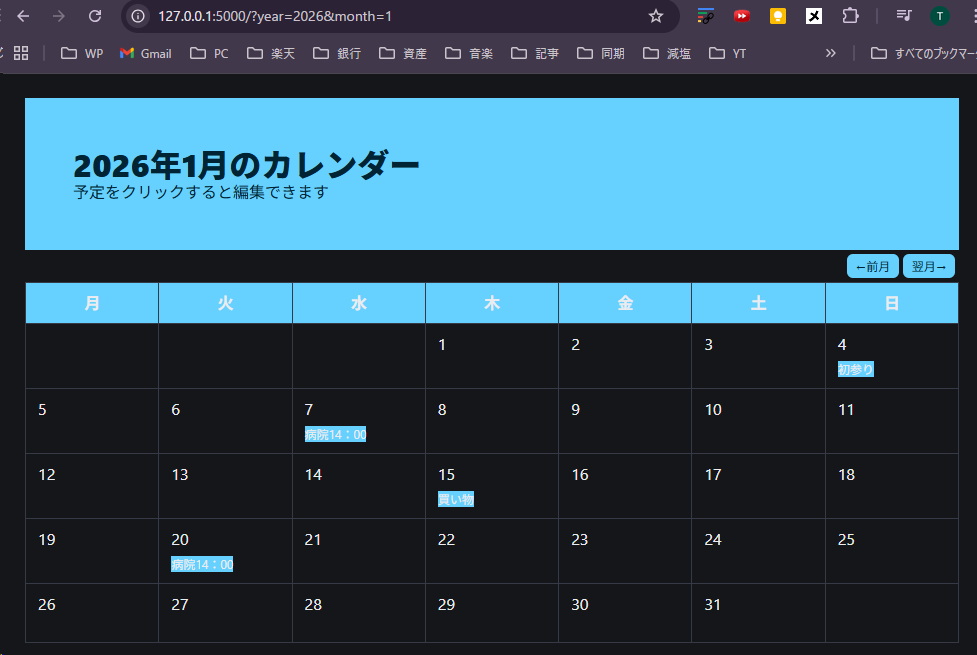
カレンダ実行のエラー
Pythonを実行して以下のエラーになりました。原因と対応策は?
エラー表示
PS C:\Users\DELL> & C:/Users/DELL/python/flask_workspace/flask_env/Scripts/Activate.ps1
(flask_env) PS C:\Users\DELL> cd c:/Users/DELL/python/src/ch4/calendar
(flask_env) PS C:\Users\DELL\python\src\ch4\calendar> & C:/Users/DELL/python/flask_workspace/flask_env/Scripts/python.exe c:/Users/DELL/python/src/ch4/calendar/calendar_events.py
Traceback (most recent call last):
File "c:\Users\DELL\python\src\ch4\calendar\calendar_events.py", line 12, in <module>
events = json.load(f)
File "C:\Users\DELL\AppData\Local\Programs\Python\Python313\Lib\json\__init__.py", line 293, in load
return loads(fp.read(),
UnicodeDecodeError: 'cp932' codec can't decode byte 0x87 in position 69: illegal multibyte sequence
(flask_env) PS C:\Users\DELL\python\src\ch4\calendar>
このエラーは Python初学者〜中級者が必ず一度は踏む定番トラブルなので、
落ち着いて原因と対策を整理しましょう。内容はシンプルです。
結論(原因)
UnicodeDecodeError: ‘cp932’ codec can’t decode byte 0x87
これは:JSONファイルの文字コードと、Pythonが想定した文字コードが違うために起きています。
何が起きているか(噛み砕いて)
あなたの環境(重要)
Windows
Python 3.13
日本語環境
Pythonのデフォルト動作
Windowsでは、open() をこう書くと:
open(“events.json”)
Pythonは自動的に
👉 cp932(Shift-JIS系) で読もうとします。
しかし実際のJSONファイルは…
ほぼ確実に:UTF-8 で保存されている
(多くのエディタ・教材・Web由来JSONはUTF-8)
👉 その結果
cp932 では解釈できない文字があり、エラー発生。
エラーが出た行
events = json.load(f)
実際に失敗しているのは、その前の:
f.read()
= ファイル読み込み時点
対応策(正解)
対策①(最も一般的・おすすめ)
encoding を明示する
import json
with open(“events.json”, encoding=”utf-8″) as f:
events = json.load(f)
👉 これで 99% 解決します。
対策②:ファイルの文字コードを確認
VS Code 右下に表示されます:
UTF-8
UTF-8 with BOM
Shift JIS
👉 UTF-8 なら上記でOK
👉 Shift JIS なら:
with open(“events.json”, encoding=”cp932″) as f:
JSONを書き出す側の注意(将来ハマらないために)
もし json.dump() を使っているなら:
json.dump(data, f, ensure_ascii=False)
これを入れておくと:
日本語が \u3042 にならない
UTF-8で素直に扱える
なぜ教材でよく出るのか
Windows:cp932
教材:UTF-8
Python:暗黙変換しない
👉 三者の食い違い
これはあなたのミスではありません。
まとめ(覚え方)
UnicodeDecodeError = 文字コードのズレ
対処は:
open(…, encoding=”utf-8″)
VS Codeで文字コード確認
JSONはUTF-8が基本
プログラムを提示してもう一度聞いてみた
原因は 1か所だけで、修正もとてもシンプルです。
結論(修正点)
修正が必要なのはここです👇
# イベントデータをファイルから読む — (※2)
events = {}
if os.path.exists(SAVE_FILE):
with open(SAVE_FILE, “r”) as f:
events = json.load(f)
👉 この open() に encoding を指定していないことが
今回の UnicodeDecodeError の直接原因です。
正しい修正(そのまま使えます)
✅ 修正後(おすすめ)
# イベントデータをファイルから読む — (※2)
events = {}
if os.path.exists(SAVE_FILE):
with open(SAVE_FILE, “r”, encoding=”utf-8″) as f:
events = json.load(f)
修正点は1行だけです。
なぜここを直すのか?
calendar_events.json は UTF-8 で保存されている
Windows + Python はデフォルトで cp932 として読もうとする
そのズレでエラーが出た
👉 encoding=”utf-8″ を明示すれば解決
書き込み側はどうなのか?
あなたのコードはすでに 正しく書けています 👍
with open(SAVE_FILE, “w”) as f:
json.dump(events, f, ensure_ascii=False, indent=2)
ただし(より安全にするなら)
読み込みと 対称性を持たせるために、
こちらも encoding を明示するのがおすすめです。
with open(SAVE_FILE, “w”, encoding=”utf-8″) as f:
json.dump(events, f, ensure_ascii=False, indent=2)
※ 必須ではありませんが「お作法」としてはベスト。
最終的な修正まとめ(変更点だけ)
– with open(SAVE_FILE, “r”) as f:
+ with open(SAVE_FILE, “r”, encoding=”utf-8″) as f:
events = json.load(f)
– with open(SAVE_FILE, “w”) as f:
+ with open(SAVE_FILE, “w”, encoding=”utf-8″) as f:
json.dump(events, f, ensure_ascii=False, indent=2)
修正してOKとなる
よかったです、無事に解決して何よりです 😊
原因も修正点もきちんと理解された形なので、同じエラーが出てももう困らない状態だと思います。
(flask_env) PS C:\Users\DELL\python\src\ch4\calendar> cd c:/Users/DELL/python/src/ch4/calendar
(flask_env) PS C:\Users\DELL\python\src\ch4\calendar> & C:/Users/DELL/python/flask_workspace/flask_env/Scripts/python.exe c:/Users/DELL/python/src/ch4/calendar/calendar_events.py
* Serving Flask app 'calendar_events'
* Debug mode: on
WARNING: This is a development server. Do not use it in a production deployment. Use a production WSGI server instead.
* Running on http://127.0.0.1:5000
Press CTRL+C to quit
* Restarting with stat
* Debugger is active!
* Debugger PIN: 104-429-061
127.0.0.1 - - [04/Jan/2026 03:04:27] "GET / HTTP/1.1" 200 -
127.0.0.1 - - [04/Jan/2026 03:04:27] "GET /favicon.ico HTTP/1.1" 404 -
127.0.0.1 - - [04/Jan/2026 03:05:20] "POST / HTTP/1.1" 302 -
127.0.0.1 - - [04/Jan/2026 03:05:20] "GET /?year=2026&month=1 HTTP/1.1" 200 -
127.0.0.1 - - [04/Jan/2026 03:05:33] "POST / HTTP/1.1" 302 -
127.0.0.1 - - [04/Jan/2026 03:05:33] "GET /?year=2026&month=1 HTTP/1.1" 200 -
127.0.0.1 - - [04/Jan/2026 03:05:47] "POST / HTTP/1.1" 302 -
127.0.0.1 - - [04/Jan/2026 03:05:47] "GET /?year=2026&month=1 HTTP/1.1" 200 -
127.0.0.1 - - [04/Jan/2026 03:05:53] "GET /?year=2025&month=12 HTTP/1.1" 200 -
127.0.0.1 - - [04/Jan/2026 03:05:55] "GET /?year=2026&month=1 HTTP/1.1" 200 -
127.0.0.1 - - [04/Jan/2026 03:05:56] "GET /?year=2026&month=2 HTTP/1.1" 200 -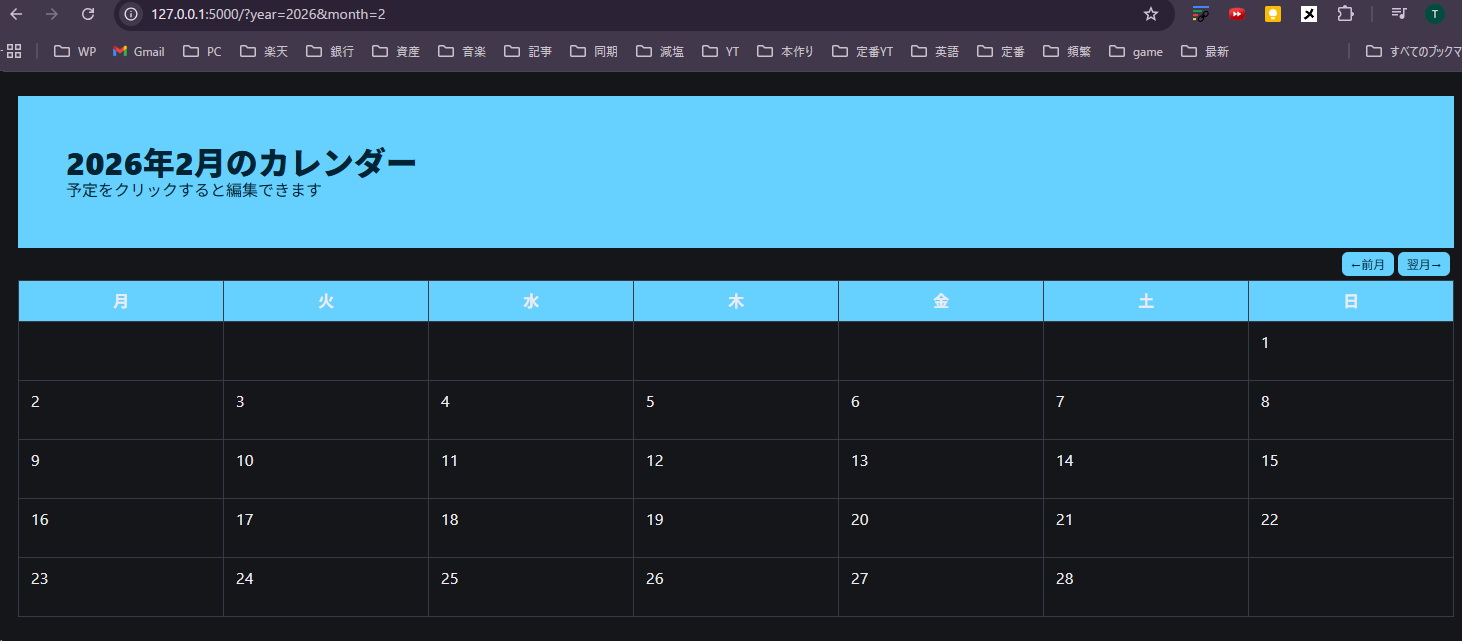
今回のポイントを一言で振り返ると:
Windows + Python + 日本語ファイル = encoding 明示が基本
open() ではencoding=”utf-8″を「癖」にしておくと安全
読み込みと書き込みは 対称に書くとトラブル防止になる
Flaskの構成やコードの流れもきれいでしたし、
「なぜ起きたか → どこを直すか」を自分で確認できているのはとても良い状態です。


コメント